
Let us guide you through the possibilities on Facebook, Instagram, Snapchat, LinkedIn, Pinterest, TikTok, Twitter, and YouTube.
Choosing the right formats and placements can make or break your ad results. Where you place your ads depends on your content and who you want to reach. For instance, if you have a longer video showing how your product works, YouTube might be a better fit than Instagram. Finding the right channel requires knowing your audience and keeping up with current trends. Let's dive into the available ad placements and formats for paid social media marketing!
Facebook for Business recommends including Instagram if you plan to run ads on Facebook. This helps optimize your delivery. Opting for automatic placements in Ads Manager is usually best, as Facebook will automatically spend your budget where you get the most bang for your buck. In the "Swedes and the Internet 2020" survey, Facebook remains the most used social platform for everyone aged 26 and up in Sweden. Note: Apple's iOS 14 policy updates may affect where your ads are shown. Read more.
Facebook News Feed: Your ads appear in the desktop news feed when people visit Facebook on their computers, and in the mobile feed when using the Facebook app or a mobile browser.
Instagram Feed: Your ads appear in the mobile feed when people use the Instagram app. Instagram feed ads only show up on mobile devices.
Facebook Marketplace: Your ads appear on the Marketplace home page or when someone browses Marketplace in the Facebook app. Read more about Marketplace ads.
Facebook Video Feeds: Your video ads appear between organic videos in video-only environments on Facebook Watch and the Facebook News Feed.
Facebook Right Column: Your ads appear in the right column of Facebook on desktop.Instagram Explore: Your ads appear when someone clicks on a photo or video. Read more about Instagram Explore ads.
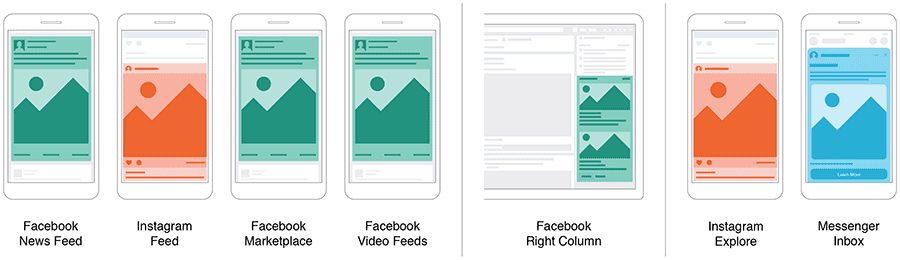
Messenger Inbox: Your ads appear in the Home tab of Messenger. Read more about Messenger ads.
Messenger Sponsored Messages: Your ads appear as messages to people who already have an active conversation with you in Messenger. Read more about sponsored messages.
Stories: Stories on Facebook, Instagram, and Messenger let you target your audience with personal ads and maximize your reach. The placements below also offer great ways to reach your audience directly.
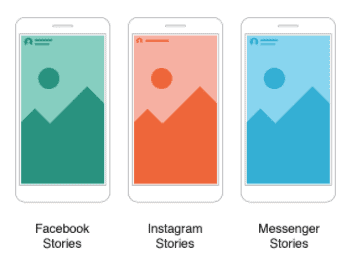
Your vertical full-screen ad will appear in people's stories as:
Facebook Stories: Your ads show up in Facebook Stories. Read more about Facebook Stories ads.
Instagram Stories: Your ads show up in Instagram Stories. Read more about Instagram Stories ads.
Messenger Stories: Your ads show up in Messenger Stories. Read more about Messenger Stories ads.
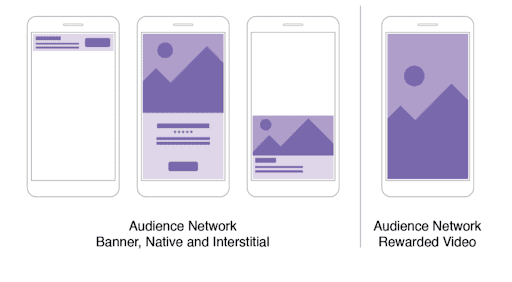
Audience Network: This network extends your Facebook campaigns beyond the Facebook platform. Publishers can monetize their apps by showing ads from Facebook advertisers. It's a great way to reach more people using other apps at a lower cost. In short, you reach a wider audience without spending more. Audience Network ads cover two main categories:
Audience Network Native, Banner, and Interstitial: Your ads show up in Audience Network apps. Learn more about banner, interstitial, and native ads.
Audience Network Rewarded Video: Your ads appear as videos that users can watch in exchange for in-app rewards (like virtual currency or items). Learn more about rewarded video.
Facebook In-Stream Videos: Your ads appear in Video on Demand and select approved livestreams from creators on Facebook. Read more about in-stream video.
Facebook Search Results: Your ads appear next to relevant search results on Facebook and Marketplace.
Facebook Instant Articles: Your ads appear in Instant Articles within the Facebook mobile app. Read more about Instant Articles.
Bottom line: Facebook's ad placements offer massive opportunities to reach your audience at the right time and in the right mindset. Make sure to tailor your content to each placement for the best user experience. For maximum coverage, optimize your creatives for 1:1, 4:5, 16:9, and 9:16 aspect ratios.
Snapchat
Whether your goal is driving traffic, boosting conversions, or building engagement, Snapchat has placements designed to match. According to the "Swedes and the Internet 2020" survey, Snapchat is still dominated by Gen Z in Sweden, with 9 out of 10 users aged between 16 and 25.
A Snapchat ad can be up to 10 seconds long and is available in Video, GIF, Image, and Cinemagraph formats.
Let's look at the formats.
Single Image or Video Ads: A full-screen ad perfect for many goals. Just add an attachment so Snapchatters can swipe up and take action. Read more about Single Image or Video Ads here.
Collection Ads
These ads feature four tappable tiles to showcase multiple products, making it super easy for Snapchatters to browse and buy. Read more about Collection Ads here.
Story Ads: These branded tiles live in Snapchat's Discover section. Generate excitement around your brand with a series of 3 to 20 images or videos. Read more about Story Ads here.
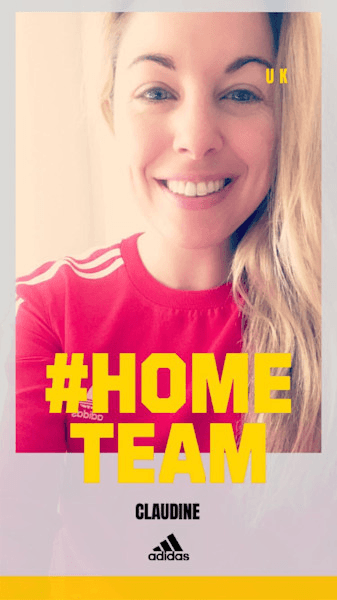
Lenses AR Experience: Lenses are a fun, memorable way to connect with users through augmented reality. Create interactive moments that Snapchatters can play with and share with friends. Read more about Lenses AR Experience here.
Commercials: Non-skippable for 6 seconds, these ads can run up to 3 minutes long and appear within Snapchat's curated content. Read more about Commercials here.
Filters: Creative overlays that appear when users swipe left or right after taking a snap. Join the conversation as they visit neighborhoods, stores, or celebrate holidays. Read more about Filters here.
To sum up Snapchat: these ads work for businesses of all sizes. Go ahead and use Snapchat to connect with your audience in a creative, personal, and impactful way!
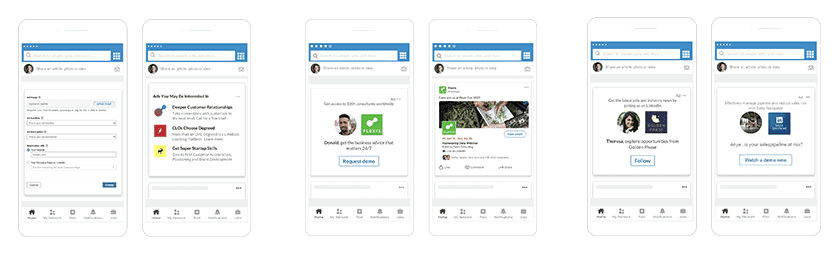
If you are in B2B, LinkedIn is your go-to channel. You can target your audience with incredible precision, reaching the exact companies and decision-makers you want.
LinkedIn has over 740 million members and 55 million companies across 200 countries. Around 40% of its monthly active users log in daily. However, people use it quickly, so you only have a few minutes to make an impression. Users spend just about 17 minutes a month on LinkedIn.
Here is how you can catch their eye.
Sponsored Content: Reach an engaged professional audience directly in their LinkedIn feed.
Single Image Ads: Feature one image and appear directly in the feed of your target audience. Read more about Single Image Ads here.
Video Ads: Bring your brand to life with native videos in the feed. Read more about Video Ads here.
Carousel Ads: Tell a story with a swipeable row of cards in the feed. Read more about Carousel Ads here.
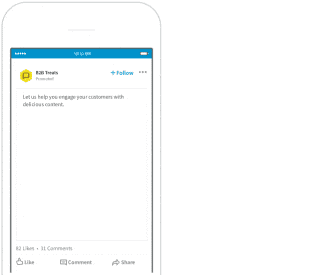
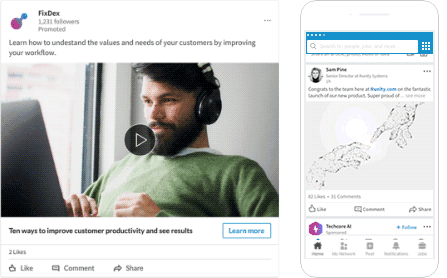
Sponsored Messaging: Start conversations directly in LinkedIn Messaging where professional decisions happen. You can choose between two formats:
Conversation Ads: Give your audience a choose-your-own-adventure style experience. Read more about Conversation Ads here.
Message Ads: Send direct messages to spark immediate action. Read more about Message Ads here.
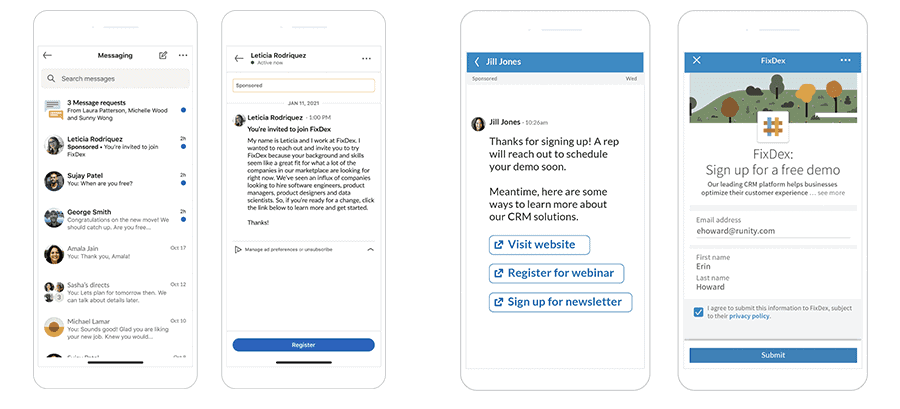
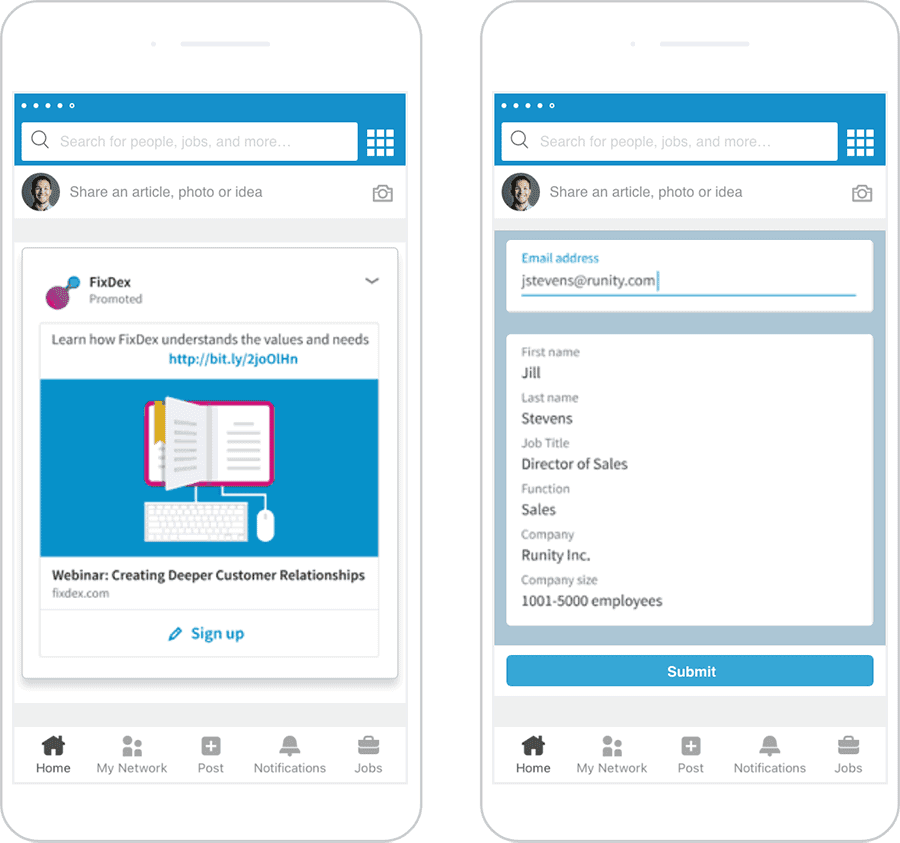
Lead Gen Forms: Collect high-quality leads directly from your ads with easy, pre-filled forms. Read more about Lead Gen Forms here.
Text and Dynamic Ads: Display ads in the right-hand rail of LinkedIn on desktop. There are three types:
Text Ads: Drive traffic to your business using an easy pay-per-click (PPC) model. Read more about Text Ads here.
Spotlight Ads: Showcase your product, service, or event to drive traffic directly to your website. Read more about Spotlight Ads here.
Follower Ads: Build brand awareness by promoting your LinkedIn page to seamlessly gain new followers. Read more about Follower Ads here.
Pinterest ads, known as "Promoted Pins," look just like regular pins but feature a small "sponsored" label. This is a low-competition ad channel that opened up in Sweden in 2019. Since pinners are usually looking for ideas to buy or plan, it's the perfect mindset to drive conversions!
With a Pinterest Business account, you can promote your best-performing pins, create brand-new image or video ads, or promote an image pinned from your website.
Once set up in Pinterest Ads Manager, your ads will appear in home feeds and search results. Let's look at the formats.
Static Pins and Ads: These feature a single image. The specifications apply to both organic pins and ads.
Max. Width Video Ads: These videos stretch across the entire mobile feed. They are only available as a paid format.
Standard Width Video Pins and Ads: These videos are the same size as a regular pin. Specs apply to both organic videos and ads.
App Install Ads: These feature an image and let users download your app without leaving Pinterest. They follow the same specs as static pins.
Shopping Ads: These showcase a single image or video, allowing users to buy products directly. They share specs with static pins.
Collection Pins and Ads: These show one main image or video above three smaller product images on mobile feeds. Specs apply to both organic pins and ads.
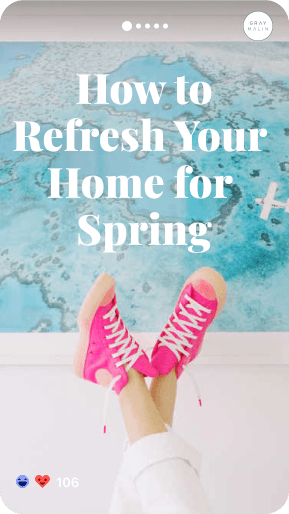
Story Pins: These feature a mix of videos, images, and text in a single pin. Story Pins are currently organic only.
Explore all Pinterest creative specs and character limits here.
TikTok
TikTok has exploded in popularity since its global launch. It quickly topped the download charts and now boasts over 500 million active monthly users.
Advertising on TikTok is still fresh. With lower competition, it is a great time to win over your audience. By hopping on trends, you can easily grow your brand and connect with users.
Let's look at TikTok's formats and placements.
Brand Takeover: Grab attention instantly with a full-screen static or dynamic display right when the app opens. It offers a powerful visual impact.
TopView Ads: A premium video format that places your brand at the very top of the app with sound on, catching full attention for up to 60 seconds.
In-Feed Ads: Short video ads up to 60 seconds long. Tell your story right in the user's "For You" feed where they can like, comment, share, and follow.
Branded Hashtag Challenge: A fun way to get users to create content for your brand. It drives massive engagement far beyond a simple click, averaging an 8.5% engagement rate.
Branded Effects: Encourage users to play around with custom stickers, filters, and special effects. Let your creativity go wild and viral.
Explore TikTok's ad formats here and specs here.
On Twitter, you can easily target people using keywords, hashtags, interests, trending topics, and specific accounts. The formats feel a bit more flexible than Facebook's. What formats do we have?
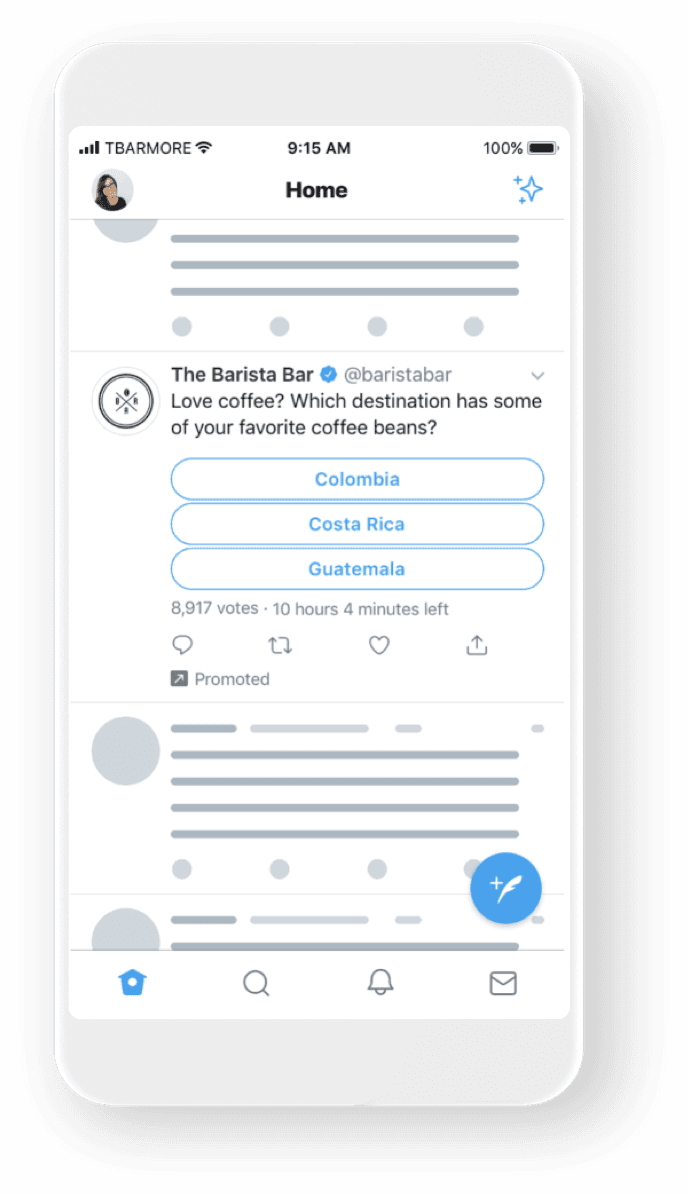
Promoted Tweets: You can boost an existing tweet that is already doing well, or create a targeted ad that only your specified audience can see. Add a poll, a GIF, or promote your account to gain followers. Read more here.
Carousel Ads: Tell a story, show off different products, or highlight features in a single ad. Carousels can feature up to six swipeable images or videos. Read more here.
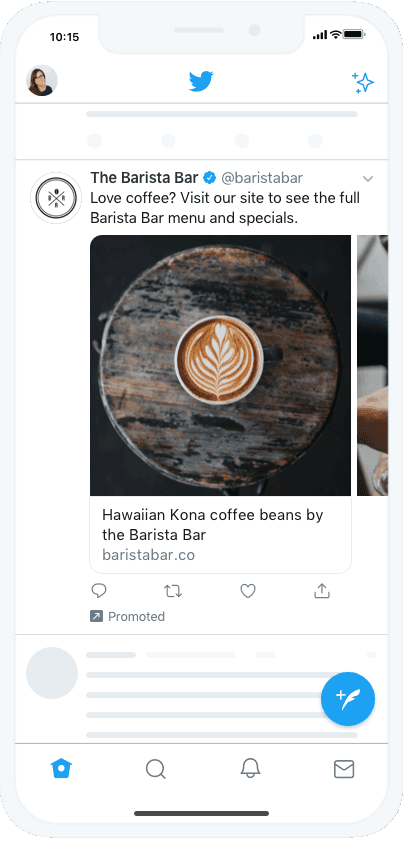
Videos: Video is one of the most engaging formats on the platform. Start a video views campaign or run a pre-roll ad to make a lasting impression.
Want to truly stand out? Preparing for a big launch day?
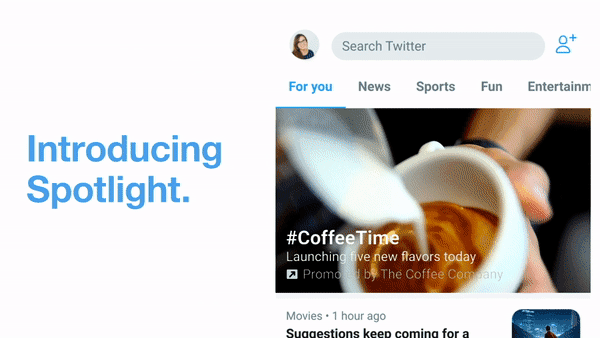
Twitter offers premium takeover products that give you exclusive ownership of Twitter's prime real estate for 24 hours. Here is what they offer:
First View: Put your video at the very top of the timeline for 24 hours. It is an exclusive, high-impact package to get mass awareness. Explore First View here.
Promoted Trend: Take over the top slot of the trending list and the Explore tab for a day to spark conversations. Explore Promoted Trend here.
Promoted Trend Spotlight: Pair a high-stopping-power video with the premium real estate on the Explore tab for 24 hours. Explore Promoted Trend Spotlight here.
YouTube
YouTube is the world's second-largest search engine with over 2 billion logged-in monthly users. With YouTube ads, you can reach potential customers while they watch or search for videos. The best part? You only pay when they show real interest.
While your ads appear on YouTube, you will manage your campaigns through Google Ads.
Let's look at the formats.
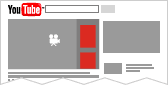
Display Ads: These appear to the right of the feature video and above the video suggestions list.
Overlay Ads: Semi-transparent overlay ads that appear on the bottom 20% of your video.
Skippable Video Ads: These allow viewers to skip the ad after 5 seconds. They can appear before, during, or after the main video.
Non-skippable Video Ads: These must be watched before the main video can play. They can appear before, during, or after the video.
Bumper Ads: Short, non-skippable video ads of up to 6 seconds that viewers must watch before they can access their chosen video.
Sponsored Cards: These display content relevant to your video, such as products featured within it.
Viewers will see a quick teaser for the card, and they can click the icon in the top right corner to browse.
Explore YouTube's ad formats further here.
That is all for today! We hope you enjoyed the read and gathered some great insights on how to boost your social media strategy. Best of luck, and as we like to say: Test, learn, and grow to get the best results.
Don't forget to stay in the loop by subscribing to our newsletter!